How to Record a Baby's Heartbeat for a Soundwave Print
· Voiceful Art
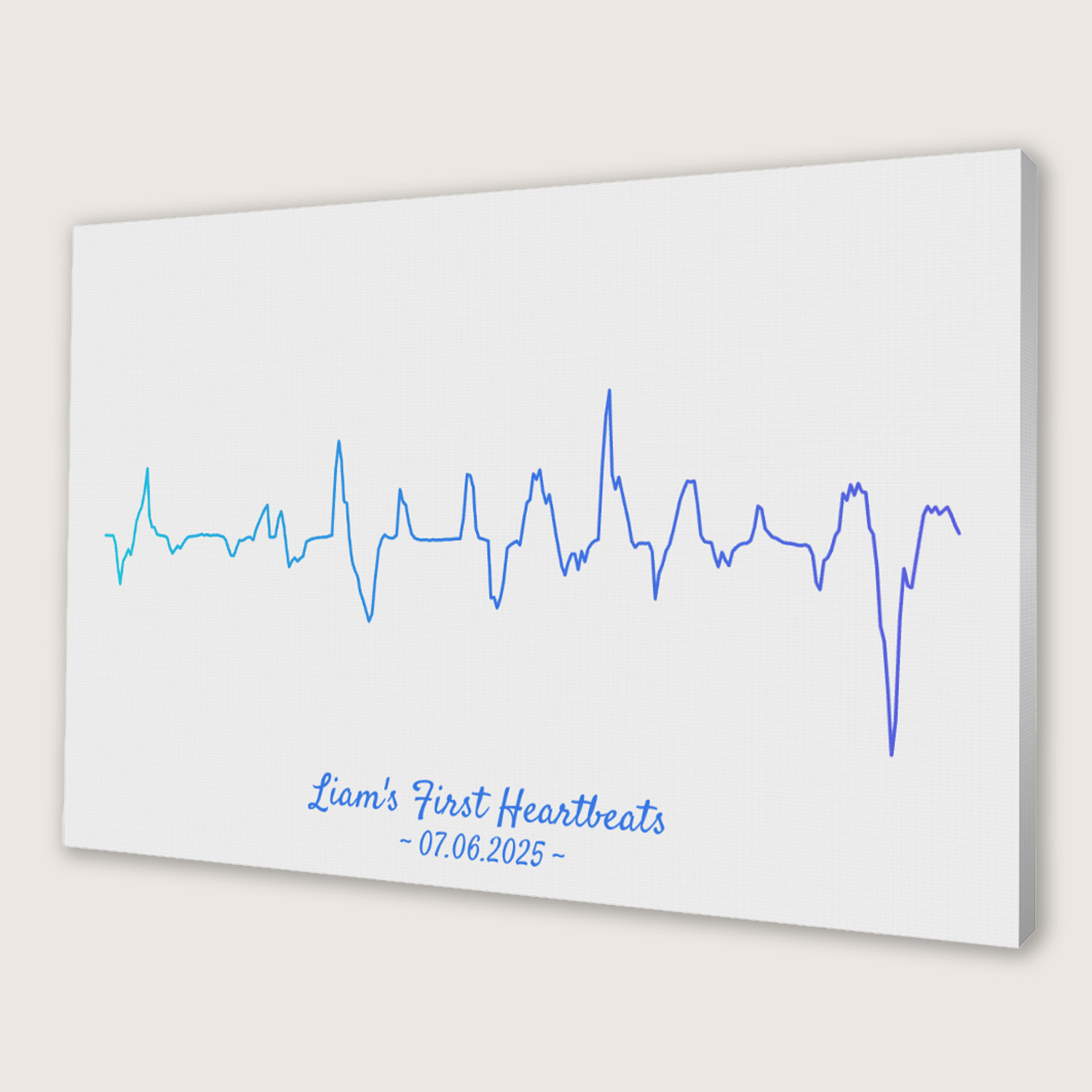
To make a baby heartbeat soundwave print, you need a recording of the heartbeat. The easiest and safest way to get one is to ask at a routine prenatal check-up whether you can record it with your phone. Then upload the recording (or the video you filmed) to a soundwave editor, trim it to a few clear seconds, and order it as a canvas, print or digital file. This guide walks through each step, with the file details that matter.
Step 1: Get the recording at a check-up
At many check-ups the midwife or doctor listens to the heartbeat with a handheld Doppler or during an ultrasound scan. Ask beforehand whether you may record it. Most phones can do this in two ways:
- A voice memo (Voice Memos on iPhone, a recorder app on Android). Hold the phone close to the device's speaker, not to the screen.
- A video of the screen and sound. This is handy because you get the moment on video too, and you can upload the video straight to our editor. We take the sound out of it.
Ask the room to stay quiet for 10–20 seconds. Talking and rustling show up in the waveform as big bumps.
A word on home devices: the U.S. FDA advises against "keepsake" ultrasounds and over-the-counter Doppler heartbeat monitors, and says they should be used by or under the supervision of a health professional. A recording made at a normal appointment avoids that question altogether.
Step 2: Check that the file will work
Our editor accepts:
- Audio: MP3, WAV, M4A (the iPhone voice memo format), AAC, OGG
- Video: MP4, MOV, WebM
- Up to 50 MB and 5 minutes
On an iPhone, choose the clip as a Video when you upload. A Photo or Live Photo won't work. If the recording is in a messaging app (for example, a partner sent it to you), save it to your phone first and upload the saved file.
Step 3: Trim to the clearest beats
A heartbeat looks like a row of evenly spaced peaks, and that rhythm is what makes these prints recognisable. In the editor, use the trim handles on the waveform to keep a stretch where the beats are clear and there's no talking. A few seconds is usually enough. A longer clip makes the peaks thinner and closer together.
Step 4: Choose a style, colours and text
You see the result live as you change things, and you can try as many versions as you like before paying. There are bar, line, silhouette, 3D and radial styles, and you can pick wave and background colours to match the nursery. Most people add the baby's name, the date of the scan or the birth date, or a short line such as "your first heartbeat".
For reference: across all designs made in our editor between April and early November 2026, 3D was the most chosen style (about 4 in 10 designs), followed by bar (about 2 in 10).
Step 5: Add a QR code so it can be heard
A printed heartbeat is lovely to look at. With a QR code it can also be heard: scanning the code opens a page that shows the artwork and plays your recording. You can print the code small on the art, or on a separate card with a gift message on the back. More detail is in Soundwave art with a QR code.
Step 6: Pick the format
- Canvas for the nursery wall: see the baby heartbeat canvas.
- Framed print or poster to sit alongside scan photos.
- Postcards to share the news with grandparents.
- Digital download to print yourself or use in a baby book.
Prices for each format and size are in How much does soundwave art cost?. For more gift ideas around a new baby, see Thoughtful new baby gifts: from heartbeat to art.
If you don't have a recording
Some clinics can give you the recording as a file, so it's worth asking. If there's no recording at all, consider a different sound: the baby's first cry or giggle, a lullaby you sing, or the song that was playing on the way home. All of them work the same way in the editor.
FAQ
How do I record my baby's heartbeat?
Ask at a routine check-up whether you may record it. Use your phone's voice memo app close to the device's speaker, or film the screen. Keep the room quiet for 10 to 20 seconds.
Can I upload a video of my ultrasound instead of an audio file?
Yes. The editor accepts MP4, MOV and WebM videos as well as MP3, WAV, M4A, AAC and OGG audio (up to 50 MB and 5 minutes) and takes the sound from the video.
How long should the heartbeat clip be?
A few seconds of clear beats is usually enough. Longer clips make the peaks thinner and closer together. Use the trim handles to keep the clearest part.
Can the print play the heartbeat?
Yes, if you add a QR code. Scanning it opens a page that shows the artwork and plays your recording.